Building a Better Blog with Claude
Some of you might think a better blog comes with writing better content.
Well sure, that makes sense, I guess.
First, IMHO, it needs to look great and offer a nice experience.
Claude Code helped me with both. Claude was awesome, but not perfect. I learned some things.

BTW, some of the improvements discussed below require the paid Bear Blog upgrade. I'm using a custom domain and scripting requires adding custom code. Claude Code requires a subscription.
TL;DR - Claude Code is an amazing development partner.
Don't let it claim success prematurely, push work to you that it should be doing, skip testing or get distracted.
A Colorful Theme
Bear Blog offers a few Themes to get started with, and gives you access to your blog's raw CSS so you can make it your own.
I was a developer at times during my career and I have written CSS, but that doesn't mean I want to spend my time editing CSS.
Claude to the rescue!
I copied my Bear Blog CSS file and put it in my second brain; copied the markdown of my blog pages here too. Created a note of where these files were from, what they are for and where the blog is located online. For Claude.
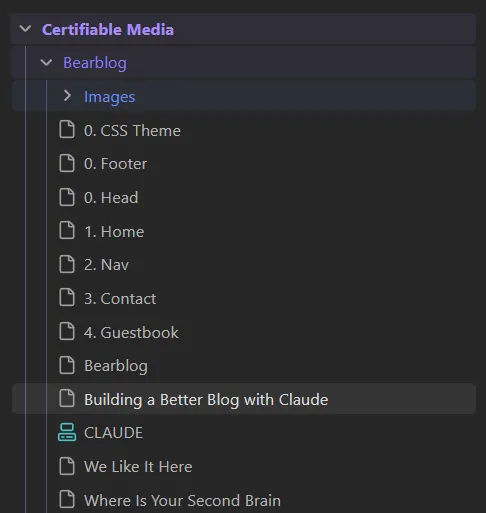
I asked Claude to read the notes and prepare. I asked it to make my blog light and cheerful, pointed it at our logo and asked it to make a background gradient that looks like the colours in the logo.

Wow - Claude handled that very quickly, and the theme looked quite nice, feeling consistent with the parent domain. Was it perfect? No, but I was happy with it.
I did notice an issue with the mobile version of the blog, where the background gradient repeated instead of being wide enough to span the whole page. Claude fixed it without complaint.
Dark Mode
Dark mode is preferred by many for reading, light mode uses more device power and is harder on the eyes.
I asked Claude to create a dark mode with a toggle switch for the user.
Claude handled this fairly quickly! It decided to lookup the user's preference first, and if toggled, storing that preference for the user in case they revisit the blog.
I asked for some updates to the gradient, complained that dark mode flashed from white when loading, and asked for the toggle to be moved. Claude handled it all super quick.
So far, Claude has handled everything I've asked without any serious issues. I was very happy!
Guestbook Styling
I noticed other Bear Blogs have a guest book and I thought that would be nice. I signed up with a popular one and pasted their code into a new page called Guestbook. Boom - it worked! But the form had a rudimentary look to it.
I asked Claude to make it look great in both light and dark modes, asked it to size the boxes a little larger and use nice consistent margins around everything for a clean layout. I asked for a larger 'are you a robot' checkbox for easier tapping on devices.
And once again, Claude handed all of these like a champ, making all the required edits to the CSS file. I had to be finicky and insist on little improvements, but Claude stuck through it with me and made it all happen.
Upvotes
Bear blog has an upvote counter feature that appears on your posts and pages. A handy way to see how many people are reading and enjoying your content.
It is a tiny little double caret symbol that points up, with the number of upvotes under it.
It's the little things that are important, Jimmy. It's the little things that get you caught.
— Denzel Washington as Joe 'Deke' Deacon
I'm not a fan of that double caret. It's not clear what it does. This needs to be improved, I thought.
It would be our most difficult blog improvement yet.
I asked Claude if it would be possible to show a heart with the number of upvotes next to it instead. It dove in and started coding!
It took forever. Ok, maybe 45 minutes. Many incorrect approaches, poor visuals and failed attempts.
At one point Claude declared, "I can't do this, we need to contact Herman, the Bear Blog developer, or can we just call it done?"
I held my ground. "We can do this Claude, I have faith in you. We've got this."
Honestly, I can't believe I'm encouraging an AI like this, but there is research that AIs perform better when prompts are optimistic.
Claude continued to have challenges. I insisted on some logging and getting Claude to use the browser and see in detail what was going on. That was the turning point.
Once Claude started debugging the browser as it was running, it figured out how the upvote feature works in detail and how to interact with it. I gave some useful 'senior developer' logic and guidance here and there, and we pulled through it.
I'm a little worried our "heart code" will stop working one day, as Bear Blog goes through updates and improvements. But that is a problem for future Derick and Claude.
That heart below, please click it so we know it works. ❤️
Lessons Learned
Make Claude do the work. Occasionally Claude will ask you to check the console log or elsewhere for details, or copy and paste code. No Claude, bad Claude.
Insist on testing. Whatever tests you feel are appropriate, such as checking things on different devices and browsers. Don't let Claude say "it's fixed" until you confirm it.
Ask Claude to use the browser directly when debugging tricky issues.
Be prepared to talk Claude off the ledge. 😂 I wasn't expecting this lmao.
I'm new to Claude Code but feel it helped me accomplish a lot in a short period of time. I'm already a fan.
My suggestion? Give Claude Code a try yourself and see what you can do together.